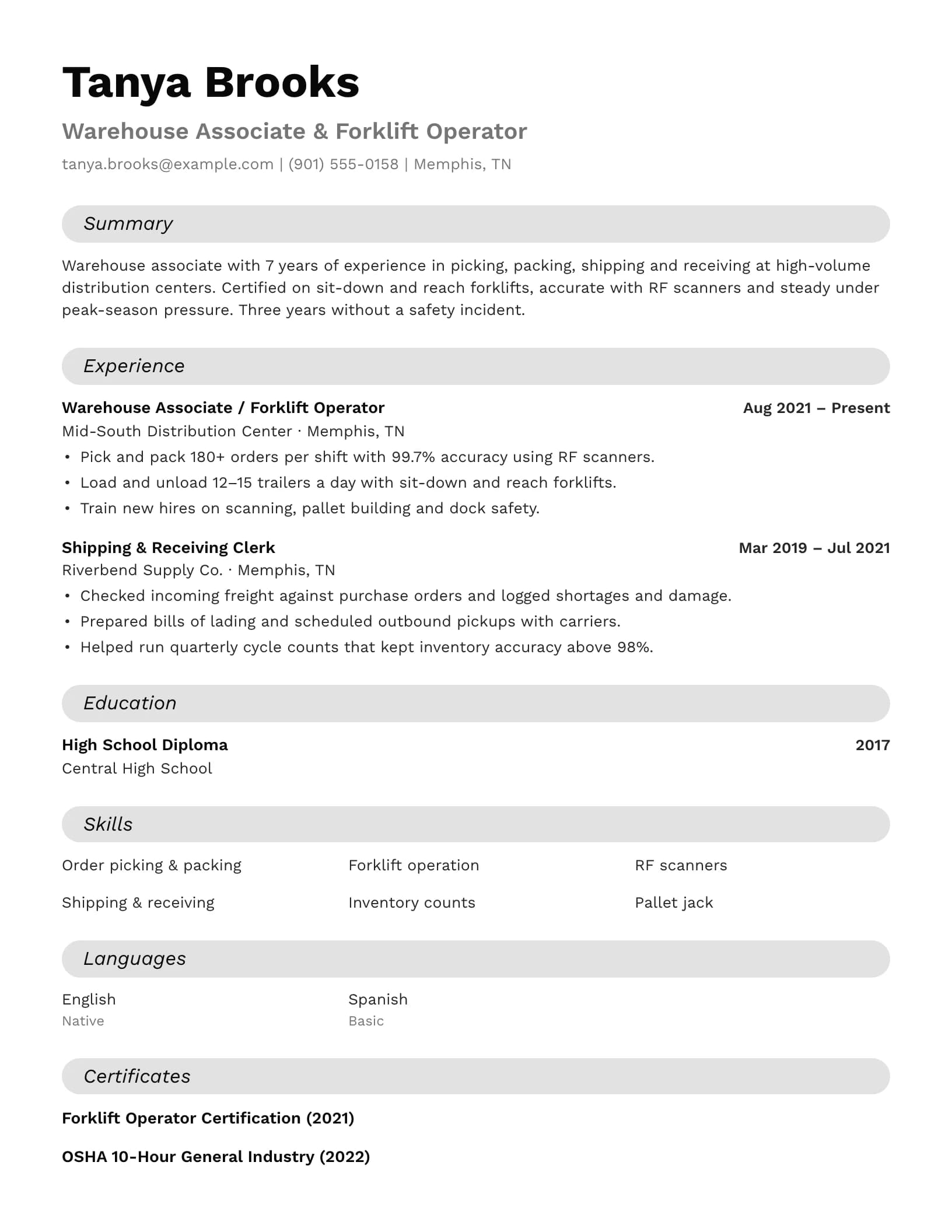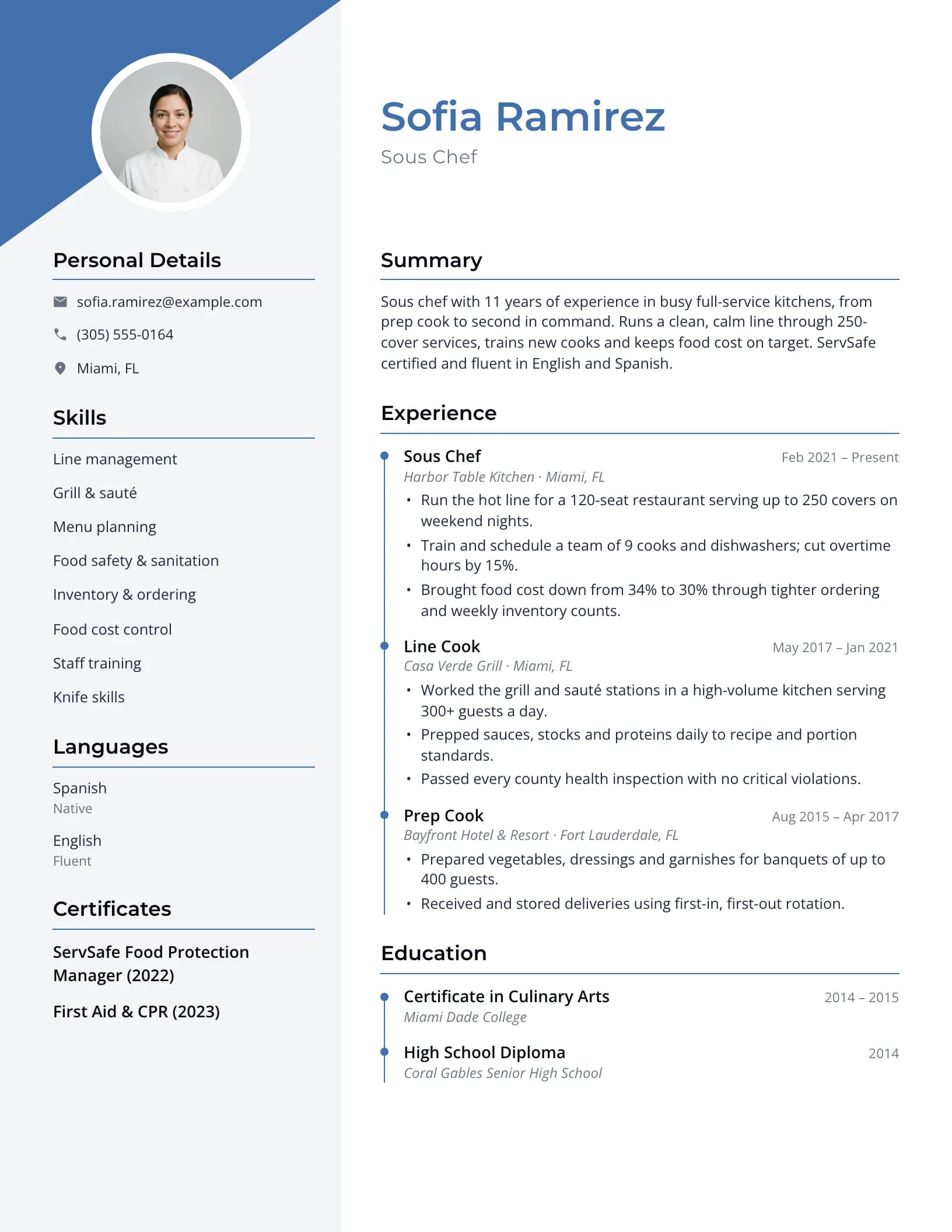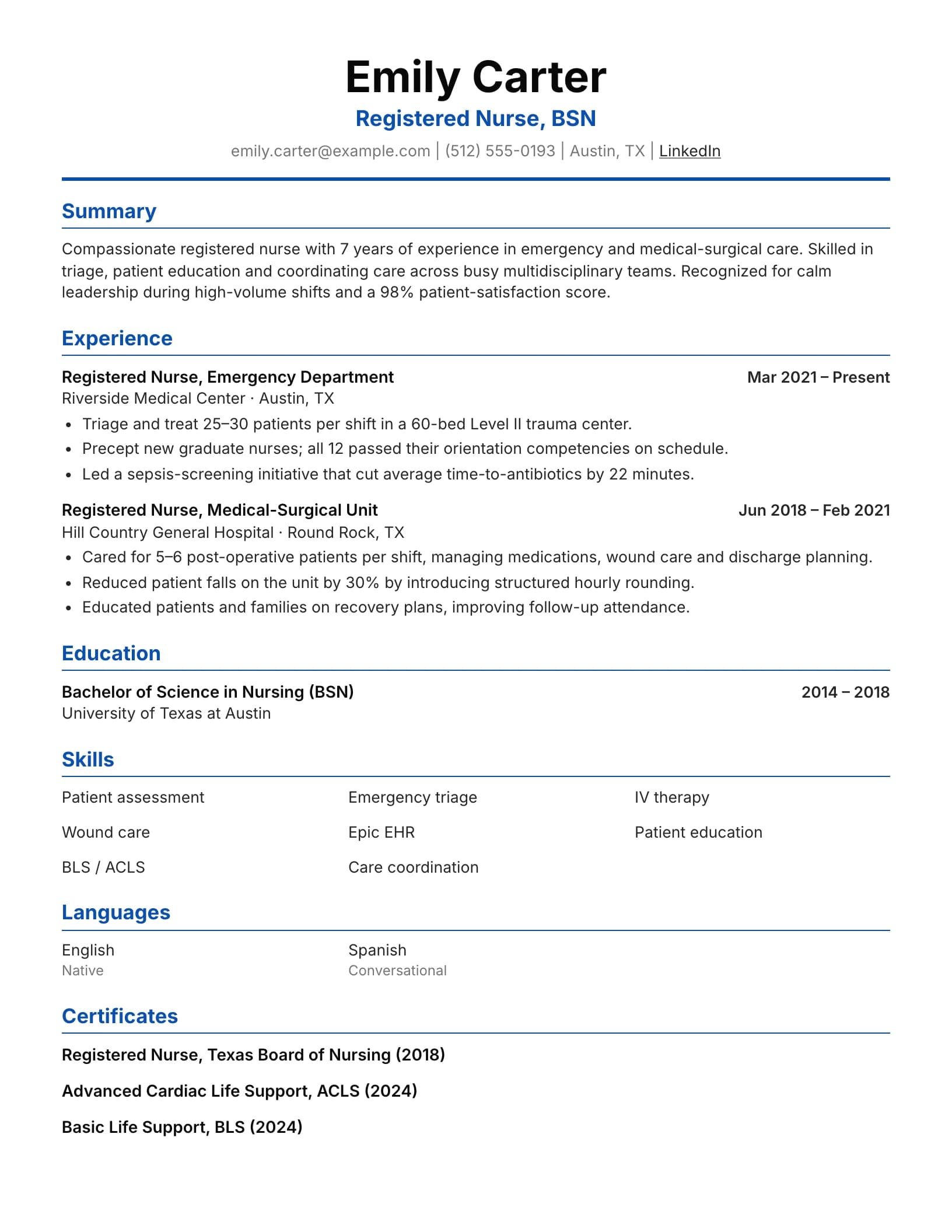
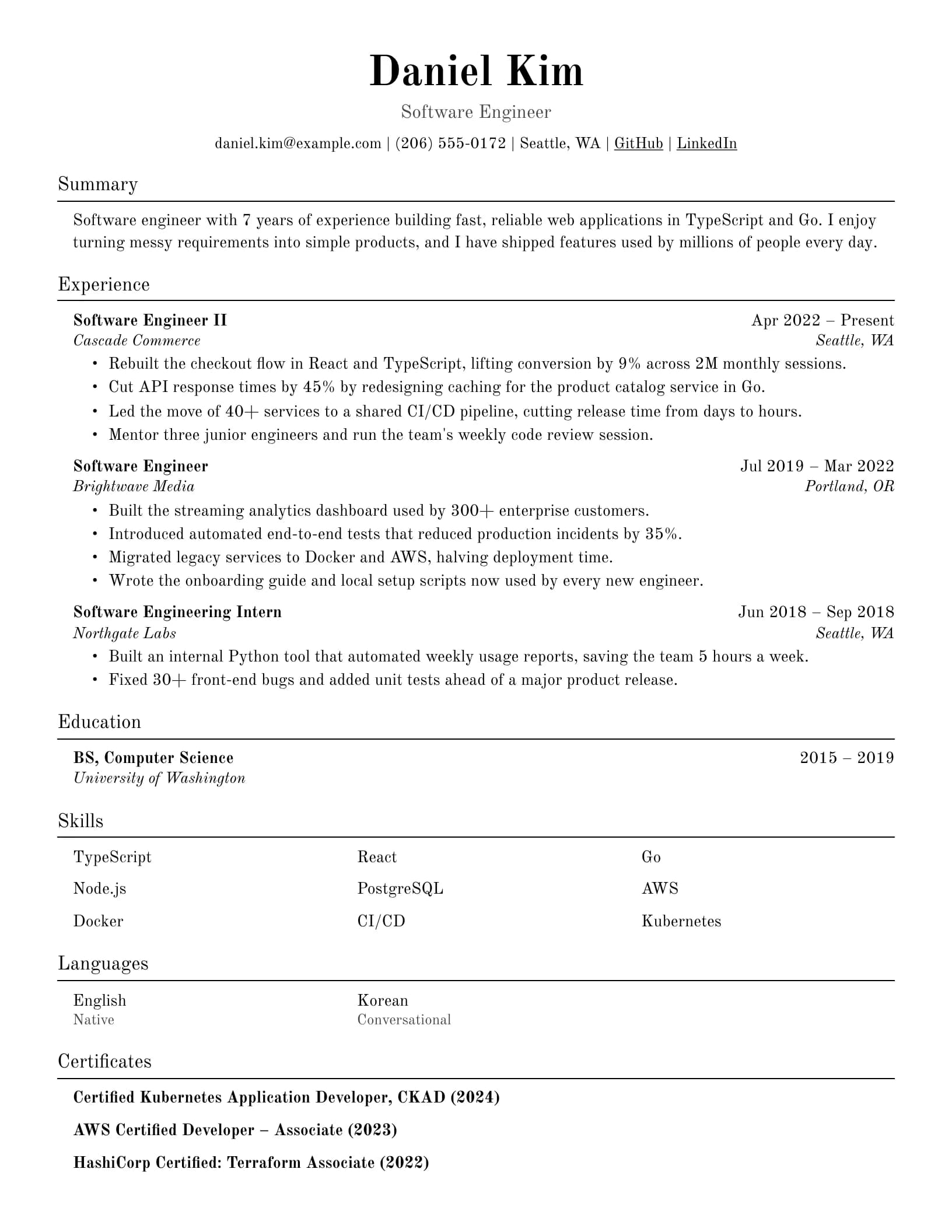
To write a resume, choose a simple format, add your contact details, write a short summary, then list your work experience, education and skills. Keep it to one page if you can, match it to the job ad, check it for mistakes and save it as a PDF.
This guide takes you through those steps in order, with examples from hands-on jobs such as driving, cooking, cleaning and warehouse work.
On this page · 14 sections
What goes on a resume
A resume is a short document, usually one page, that shows an employer what work you have done and what you can do. Its only job is to get you an interview, so it does not need your whole life story.
Most resumes have the same parts in the same order.
| Part | What goes in it |
|---|---|
| Contact details | Your name, phone number, email address and city |
| Summary | Two to four sentences on who you are and what you are good at |
| Work experience | Your jobs, newest first, with a few lines on what you did in each |
| Education | Your school or college, what you earned and when |
| Skills | Six to ten skills that fit the job |
| Extra sections | Certificates, licenses, languages and volunteering |
In the UK, Ireland, most of Europe and many other countries, this document is called a CV. Our guide to resume vs CV explains the difference. If you are applying there, read how to write a CV as well.
Before you start, collect what you will need: your job titles, the names of your employers, the month and year you started and left each job, your certificates and licenses, and the job ad you are applying to.
If you already have an old resume, you do not have to start again. DuckResume can import a PDF or Word file, so you only update what has changed.
Step 1: Choose a resume format and template
The format is the order your resume puts things in. There are three common formats.
- Reverse-chronological. Your jobs are listed newest first. This is the format most employers expect, and it suits most people.
- Functional. Your skills come first and your work history is cut down to a short list. It can draw attention away from gaps, but it leaves the employer wondering where and when you did the work.
- Combination. A longer skills section sits at the top, followed by your full work history. It can help when you are moving to a new kind of work.
If you are not sure, choose reverse-chronological. Our guide to resume formats compares all three.
Next, pick a template. A good template has clear section headings, a font that is easy to read and enough white space. One column or two columns can both work.
 LedgerUse this template
 AxisUse this template
 TypesetUse this template
Two more things to set at this point:
- Page size. Use US Letter in the United States and Canada, and A4 almost everywhere else.
- Font size and margins. If you build the page yourself in a word processor, keep the main text at 10 to 12 points and leave at least half an inch of margin on every side. A resume builder sets these for you.
Do not spend long on this step. In DuckResume you can switch template at any time without retyping, so pick one that looks clean and move on. If you are still choosing a tool, see how to make a resume for free.
Step 2: Add your contact details
Put these at the top of the page:
- Your full name, in the largest text on the page.
- A phone number that you answer, with voicemail set up.
- An email address made from your name. Keep nicknames and jokes out of it.
- Your city and state, or your town and country. You do not need to give your street address.
You can also add a job title under your name, such as Delivery Driver or Line Cook. A link to an online profile is optional, and only worth adding if the profile is up to date.
What to leave out depends on the country. In the US, Canada, the UK, Ireland and Australia, leave off your photo, date of birth and marital status. In Germany, France, Spain and some other European countries, a photo is common. The photo is optional in DuckResume, so you can follow the custom of the country where the job is.
In every country, keep ID numbers (such as a Social Security number) and bank details off your resume.
Step 3: Write a resume summary
The summary is two to four sentences under your contact details. It tells the employer who you are, what you are good at and why they should read on. A simple pattern works for almost any job: your job title and years of experience, two or three strengths, then one piece of proof such as a number or a license.
Hard-working person looking for a good job where I can use my skills and grow.
Janitor with 6 years of experience cleaning schools and office buildings on the night shift. Trained on floor scrubbers and buffers, and careful with cleaning chemicals. Trusted with building keys and alarm codes, with no missed shifts in the last two years.
The first could be anyone. The second could only be one kind of worker, and every part of it can be checked.
Many people find the summary easier to write last, when the rest of the page is done. Our guide to writing a resume summary has a formula and examples for more jobs.
Step 4: Describe your work experience
This is the main part of your resume. List your jobs newest first, and give four things for each one:
- your job title
- the name of the employer and the city
- the month and year you started and left, or "Present" for the job you have now
- three to five short lines on what you did
Those lines matter most. A weak line only names a duty. A strong line starts with an action word, says what you did and adds a number.
Responsible for deliveries.
Delivered 80 to 100 packages a day on a 60-mile route, with 99% of stops on time over two years.
You do not need sales figures to use numbers. Count the things your work is made of: stops a day, orders a shift, tables in your section, rooms cleaned, residents cared for, people trained, years without an accident.
| Job | Weak line | Stronger line |
|---|---|---|
| Line cook | Cooked food | Ran the grill station on weekend nights, cooking for up to 200 guests |
| Warehouse worker | Picked orders | Picked and packed 150 orders a shift with an RF scanner, at 99% accuracy |
| Cashier | Worked the register | Served up to 300 customers a shift and balanced the cash drawer at closing |
| Cleaner | Cleaned offices | Cleaned three office floors every night and passed each monthly inspection |
Use only numbers that are true. If you do not know the exact figure, an honest estimate such as "about 150" is fine.
Write about old jobs in the past tense and your current job in the present tense. Go back about 10 to 15 years, give your recent jobs the most space, and shorten or drop old jobs that have nothing to do with the one you want.
You can see lines like these on a full page in our line cook, warehouse worker and cashier resume examples. For more help with this section, read how to write work experience on a resume. If you have not had a job yet, read how to write a resume with no experience.
Step 5: Add your education
Start with your highest qualification. Give the name of the school or college, what you earned (a diploma, GED, certificate or degree) and the year you finished. If you are still studying, write the year you expect to finish.
How much to add depends on where you are in your working life:
- If you have worked for a few years, one or two lines are enough.
- If you have a college degree, you can leave your high school off.
- If you are a student or have just finished school, move education above work experience and add courses, awards or activities that fit the job.
Trade school, an apprenticeship or a training program belongs here too. Grades are optional. Add them only if they are strong and recent.
Step 6: List your skills
Choose six to ten skills that fit the job you want. Most resumes mix two kinds:
- Job skills are things you can be tested on: forklift operation, cash handling, food safety, knife skills, route planning, safe lifting and transfers, floor machines, a point-of-sale system.
- People skills are how you work: reliability, teamwork, clear communication, staying calm when it is busy.
Put job skills first, because they are what most job ads ask for by name. List a skill only if you could show it or explain it in an interview. Then check the job ad: where you have a skill it asks for, use the ad's own words.
Our guide to resume skills covers this section in more detail.
Step 7: Add certificates, licenses and languages
For many hands-on jobs, a license or certificate is what gets you the interview. Give each one its own line, with its exact name and the year you earned it. If it expires, add the date it runs out.
- Licenses: a commercial driver's license with its class and endorsements, a security guard license, a trade license.
- Certificates: forklift training, first aid and CPR, a food handler card, safety training.
- Languages: each language you speak and how well, such as "Spanish, fluent" or "English, conversational".
The names of licenses and cards change from one state or country to the next, so copy the exact name from your card or certificate. If the job ad says a license is required, mention it in your summary as well.
If you still have room, volunteering and awards can go here too.
Step 8: Keep your resume to one or two pages
One page is right for most people, especially with less than ten years of experience. Two pages are fine if you have a long work history that fits the job. In the UK and Australia, two pages is normal for a CV.
If your resume runs a few lines onto a second page, cut it back to one. Do not shrink the text or the margins to make it fit. Cut words:
- shorten or remove jobs from long ago
- remove lines that repeat the same duty under several jobs
- trim the summary to three sentences
- take out the line "References available on request", because employers ask for references when they want them
Step 9: Match your resume to the job ad
A resume written for one job is stronger than a resume sent to every job. The changes are small and take a few minutes.
- Read the ad and mark the skills, tasks and licenses it names.
- Where you have them, use the same words in your summary, skills and work experience.
- Move the lines that fit the ad best to the top of each job.
- Never add something that is not true. You will be asked about it in the interview.
The wording matters for a second reason. Many employers collect applications in software called an applicant tracking system, or ATS, and can search it for words from the ad. If the ad says "order picking" and your resume says "pulling orders", a search may miss you.
That software also needs a page it can read: standard headings such as Work Experience, Education and Skills, and real text, not a picture. Our guide to ATS-friendly resumes explains what to check.
Keep one full copy of your resume with every job, skill and certificate on it. For each application, make a copy and cut it down to fit the ad.
Step 10: Proofread your resume
A spelling mistake can make a careful worker look careless. Check the page more than once, in more than one way.
- Read it aloud, slowly. You will hear mistakes that your eyes skip.
- Check the facts. Names, dates, your phone number and your email address.
- Use a spell checker, but do not trust it alone. It will not notice "manger" where you meant "manager".
- Check that it is consistent. Dates in one style and the same tense within each job.
- Ask someone else to read it. A friend sees what you have stopped seeing.
DuckResume's AI writing help can also suggest improvements to your wording. You decide which changes to keep, so read each one before you accept it.
Step 11: Save your resume as a PDF
Send your resume as a PDF unless the job ad asks for another file type. A PDF looks the same on every phone, computer and printer, so the employer sees the page you made.
Give the file a name that says whose it is. Use your first name, your last name and the word resume, such as Maria-Lopez-Resume.pdf. A name like "resume final 2" tells the employer nothing.
Before you send it, open the PDF and check two things:
- it has the number of pages you expect, and nothing is cut off
- you can select the words with your mouse or finger, which shows the file holds real text
A PDF from DuckResume has real, selectable text in reading order, and the download is free. If you plan to hand in your resume in person at a store, kitchen or job site, print a few copies as well.
Resume examples for your job
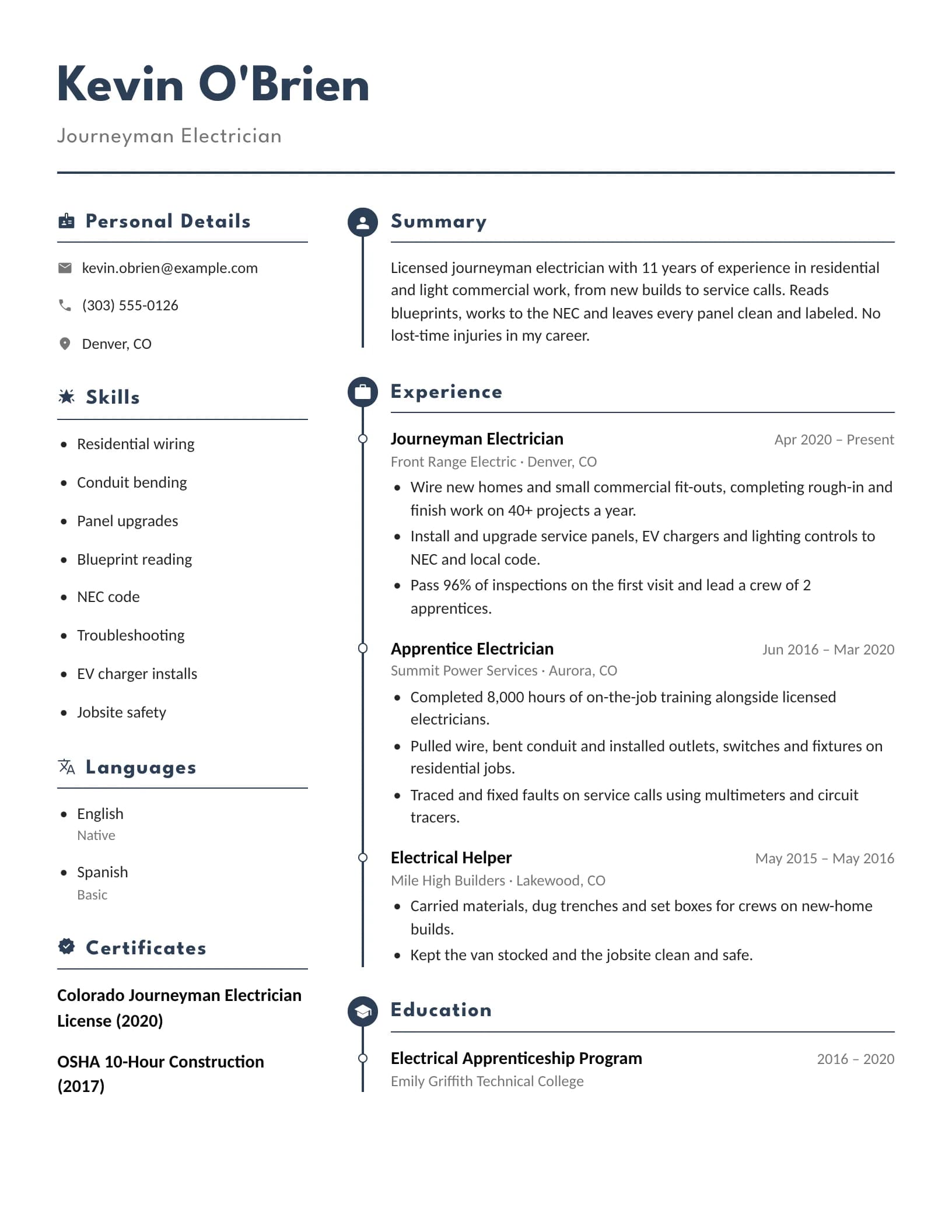
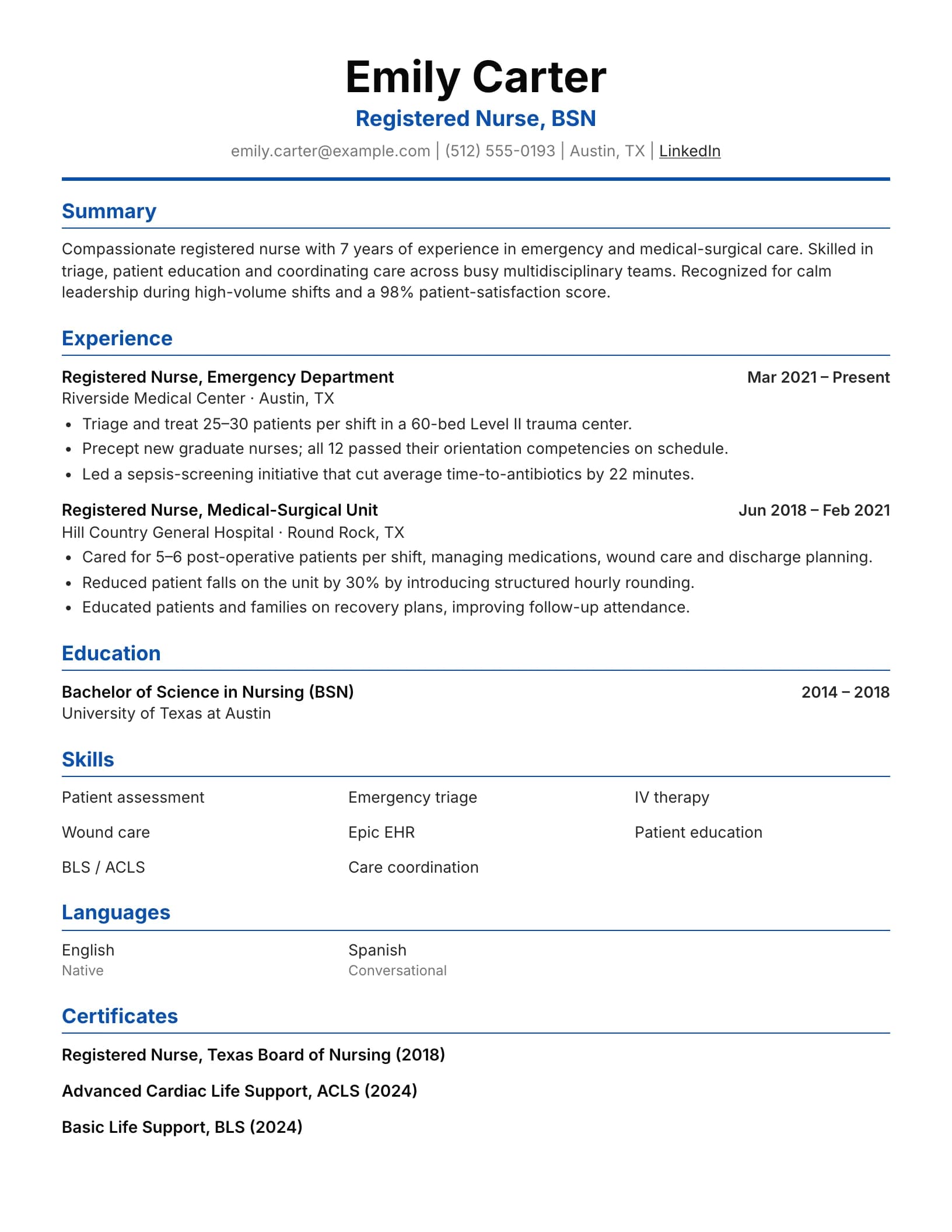
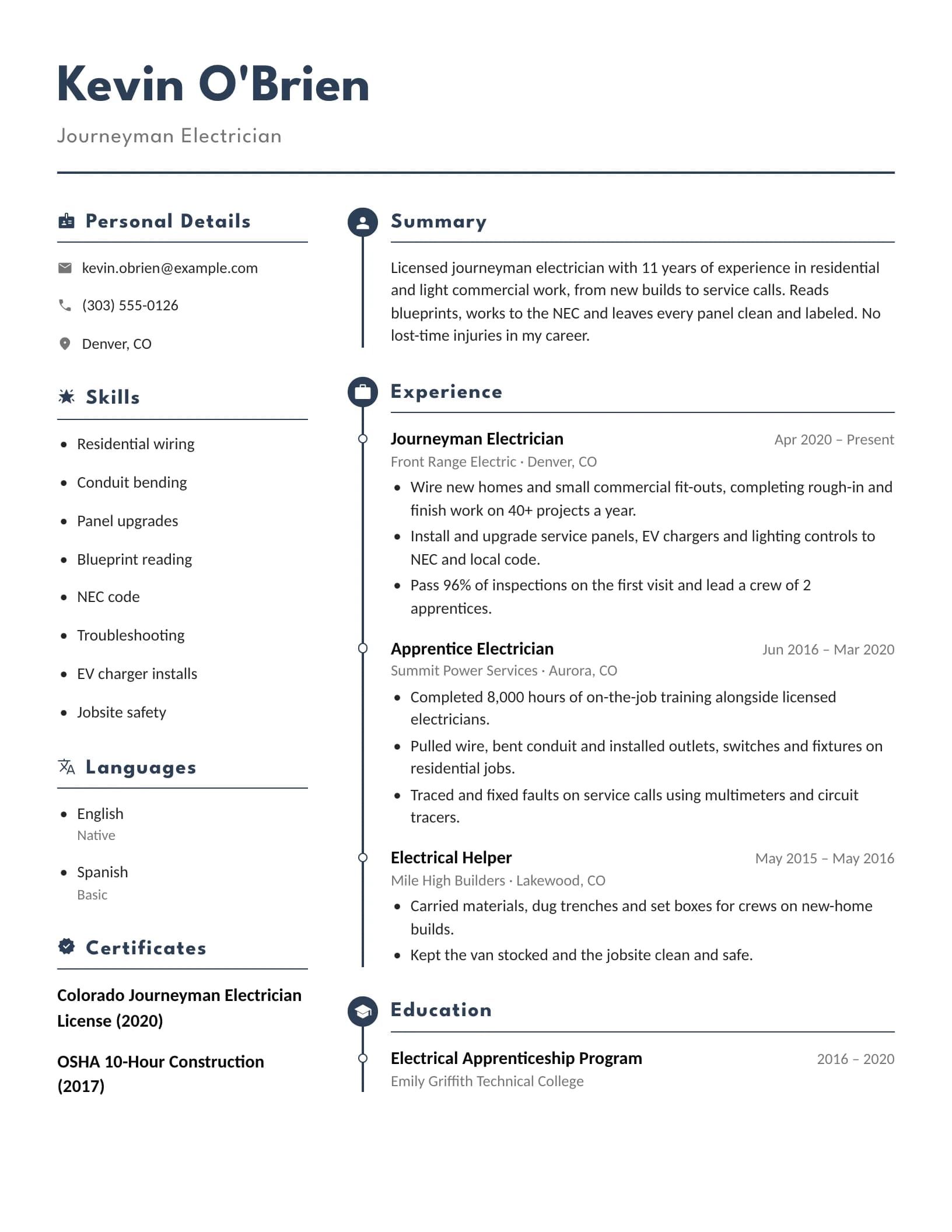
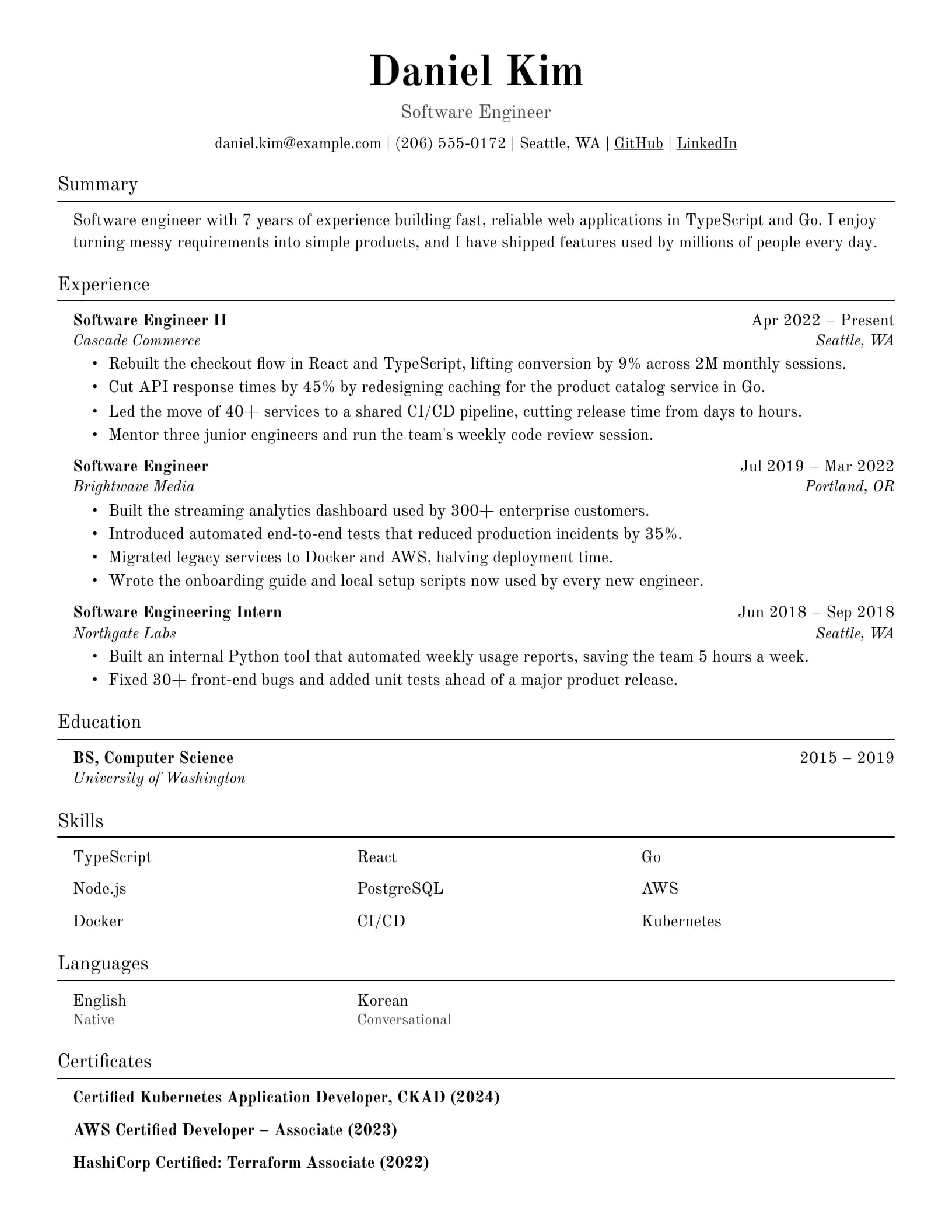
A finished resume for your own kind of work makes every step above easier to follow. These three show the whole page for a truck driver, a caregiver and an electrician.
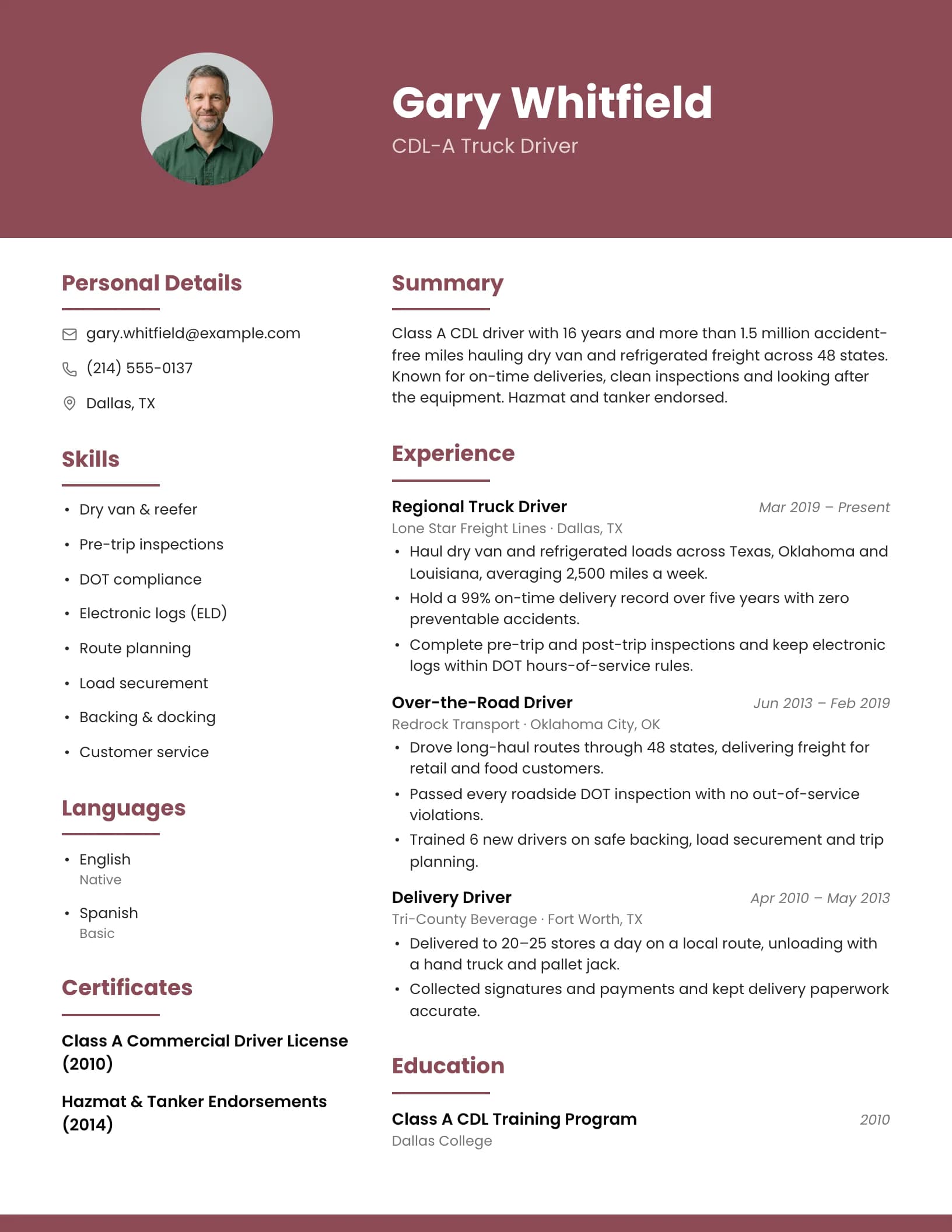
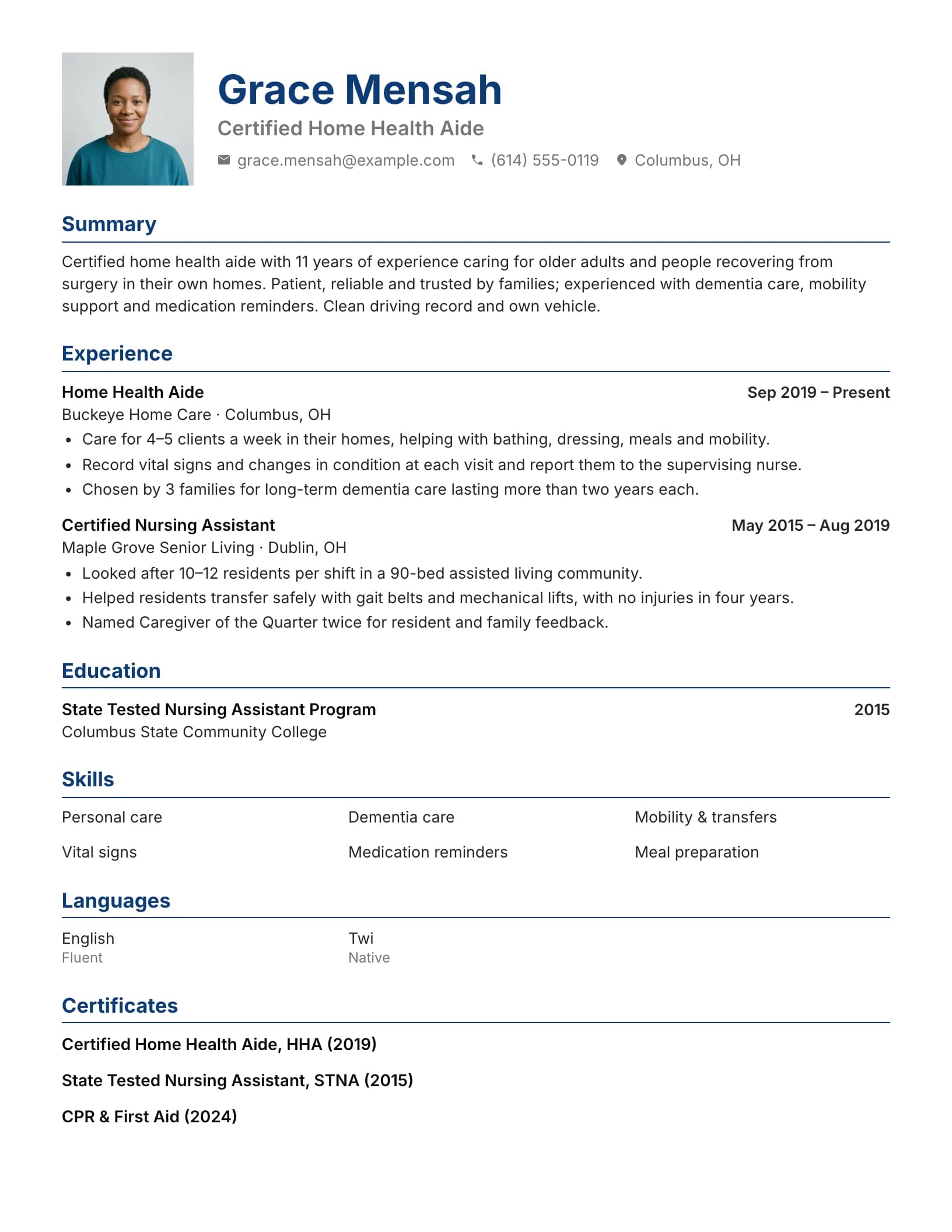
You can find many more in our resume examples, from security guard to housekeeper.