Free Resume Templates
Ten professional resume and CV templates that hiring software can read. Pick one, fill in your details and download the PDF for free, with no sign-up and no watermark.
All resume templates
10 templates shown
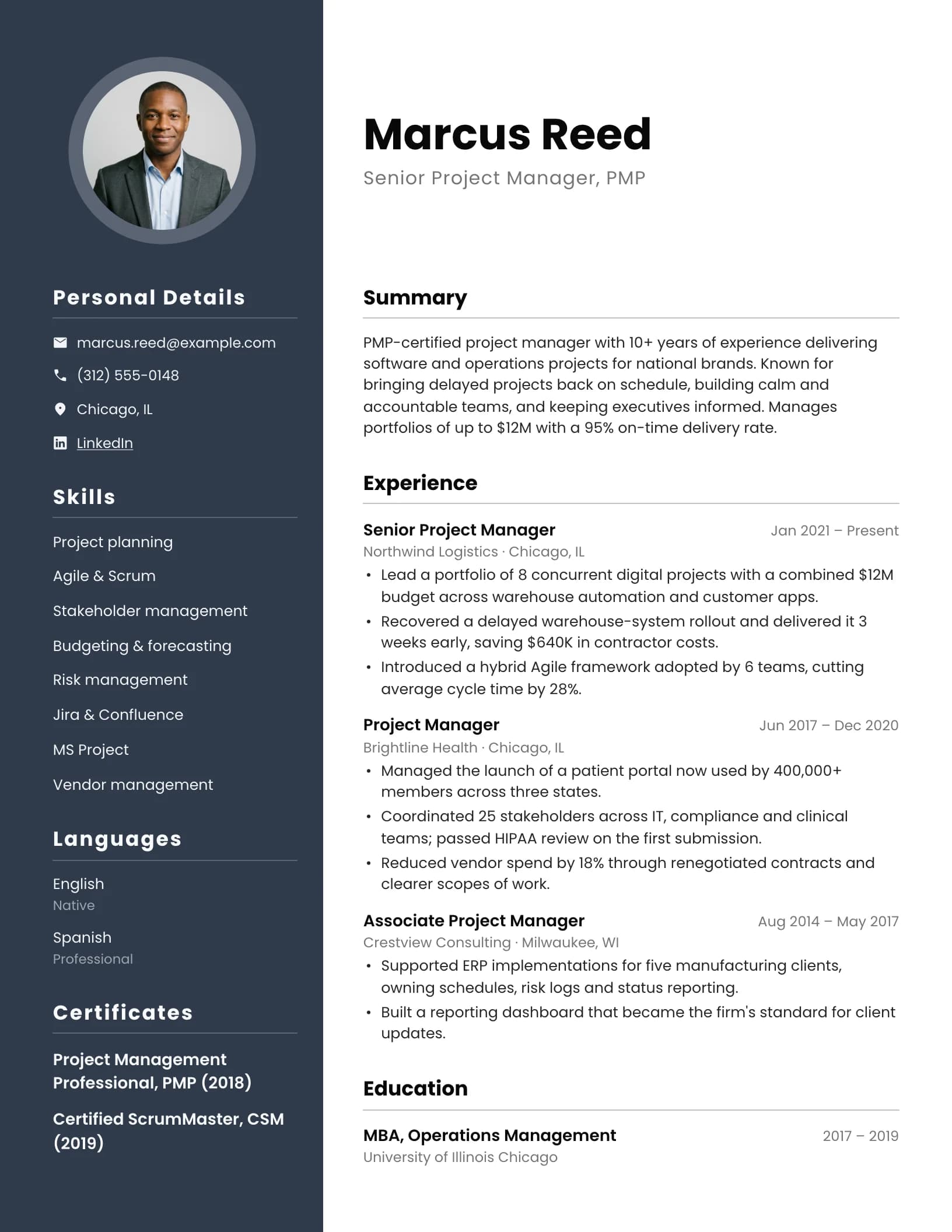
SlatePopular
Two columns · photo
A dark sidebar holds your photo, contact details and skills, with your work history beside it. A strong fit for office, sales and management jobs.
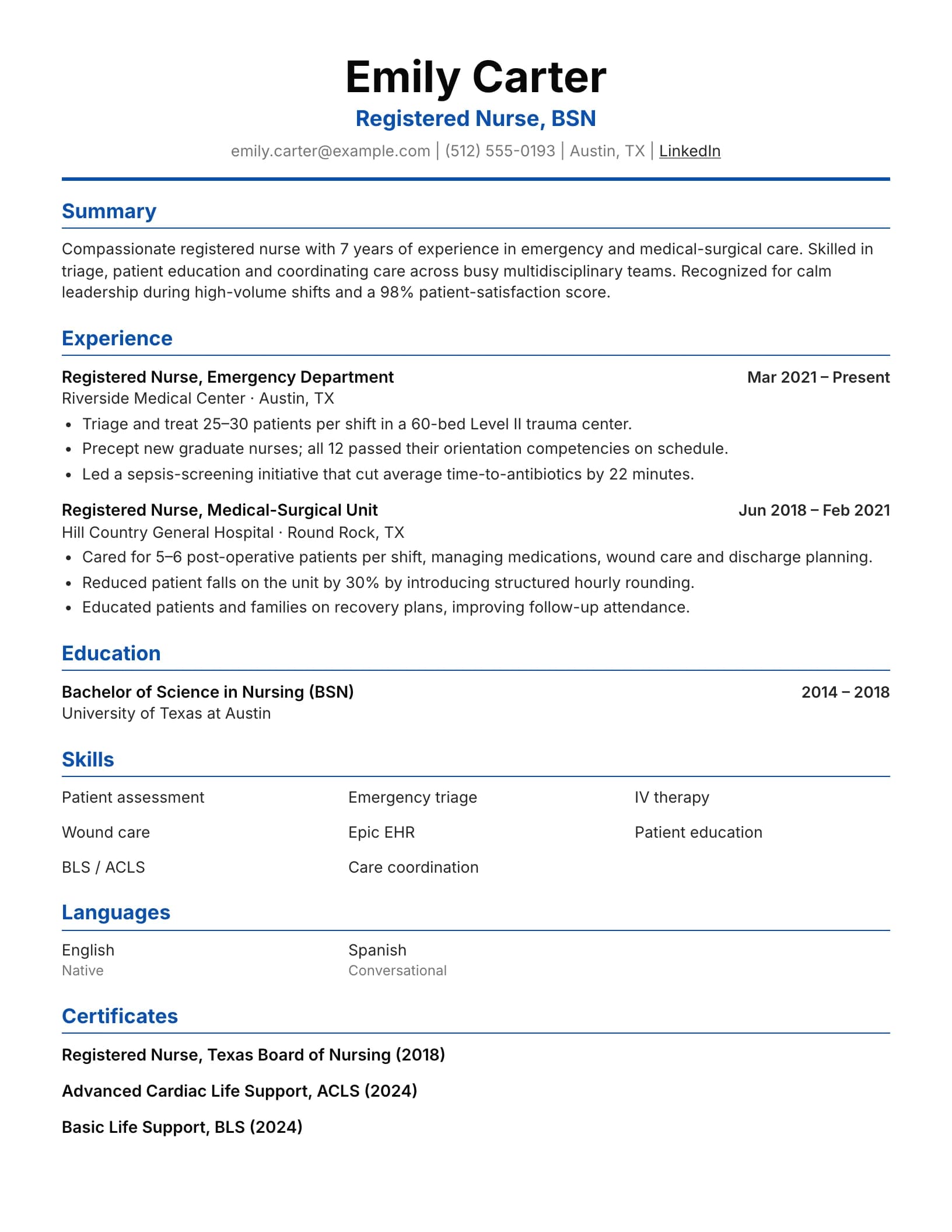
Ledger
One column · classic
A centered header over plain sections that read from top to bottom. The safe choice for almost any job and any amount of experience.
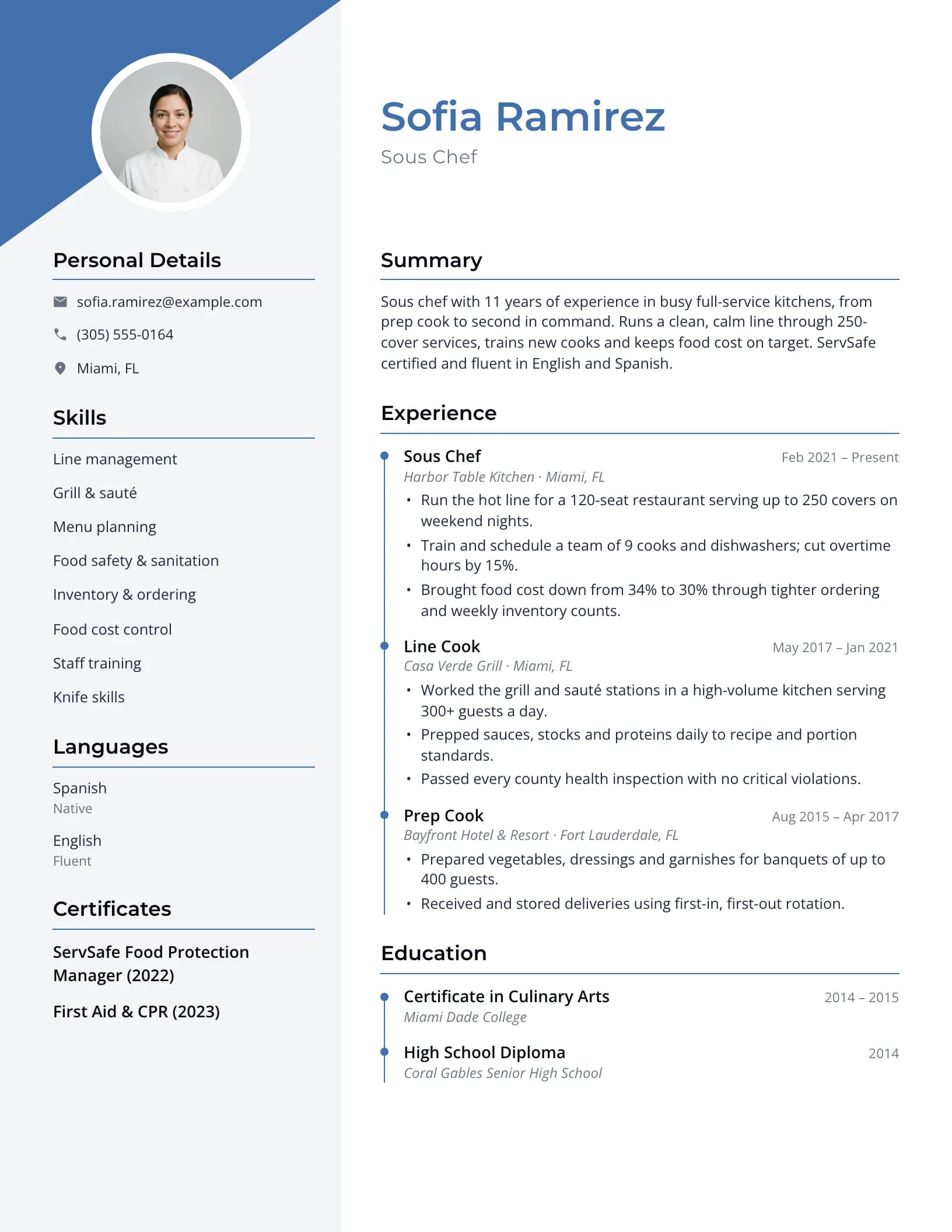
Meridian
Two columns · timeline
A timeline runs down your work history, so the order of your jobs is clear at a glance. Good when your career tells a steady story.
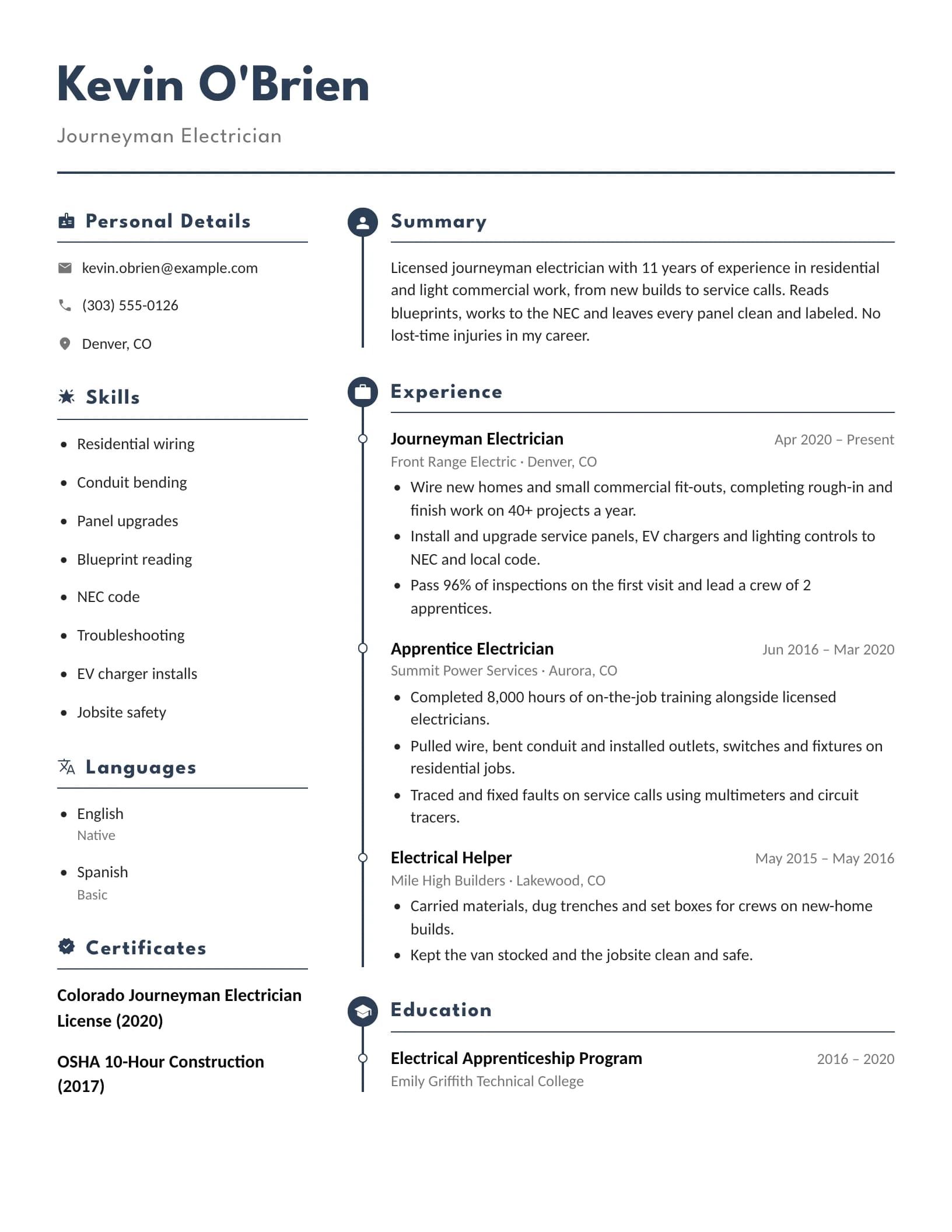
Axis
Modern · icon headings
Small icon badges mark each section along a thin rail. Modern without being loud, and popular for trades and technical jobs.
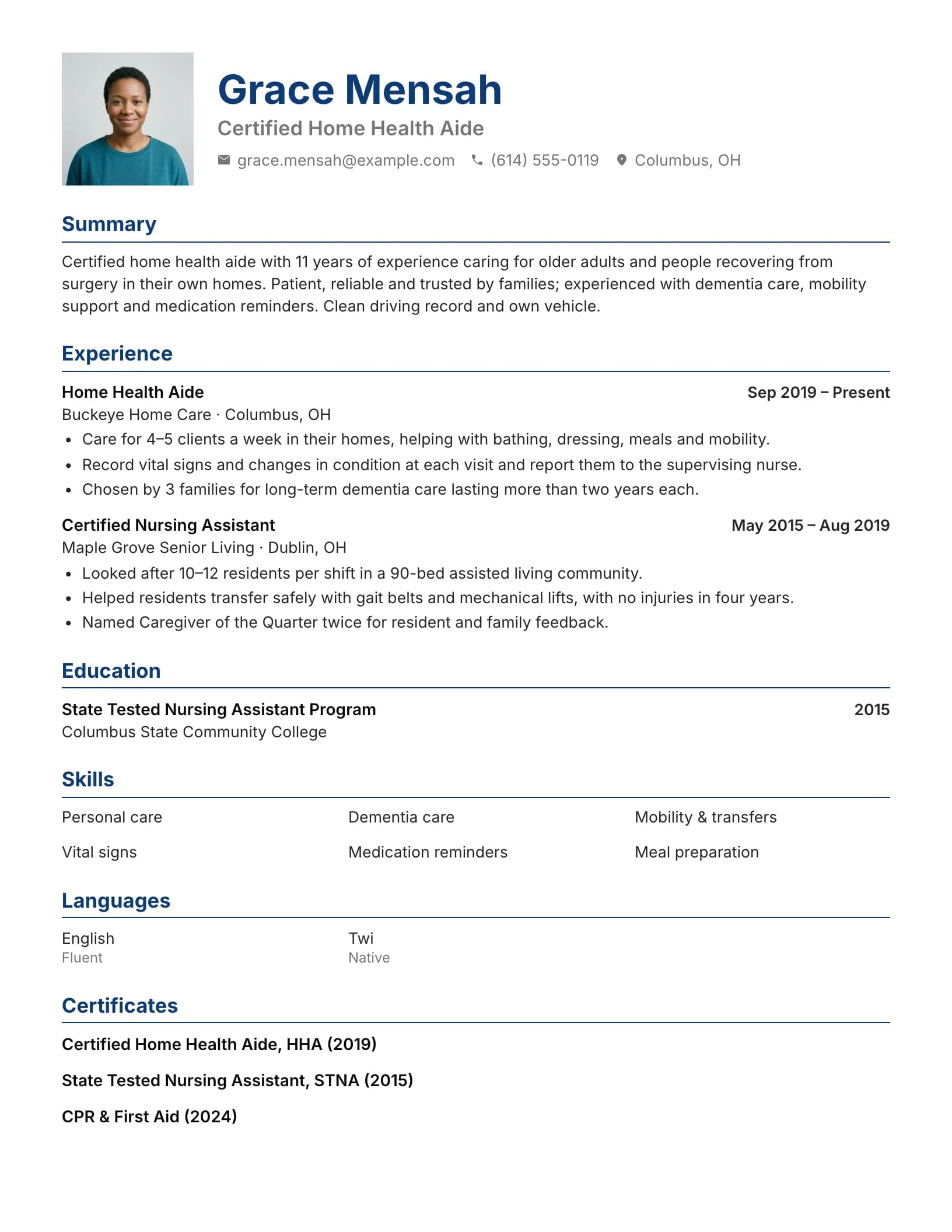
Dossier
One column · photo
A square photo sits beside your name above a classic one-column page. Made for countries where employers expect a photo.
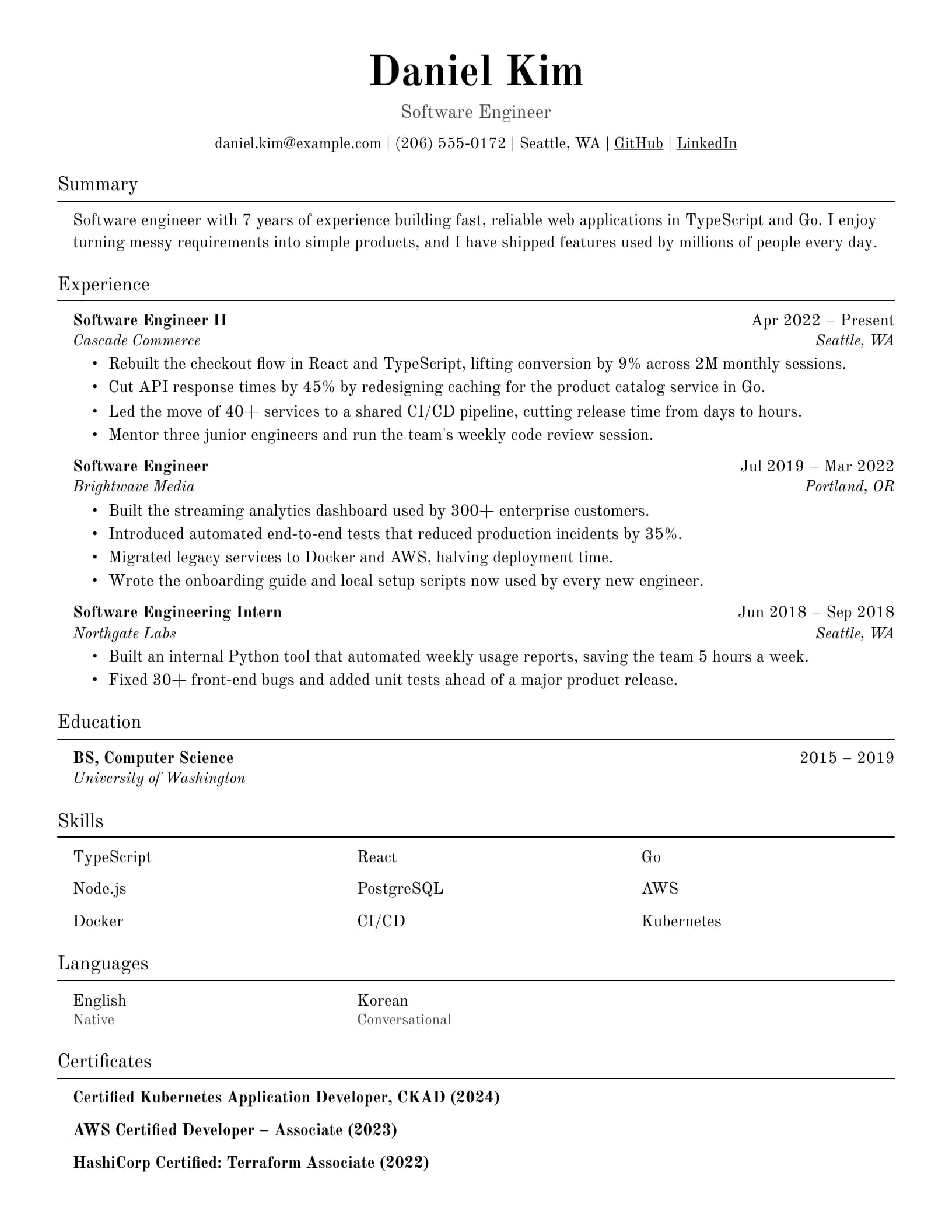
TypesetATS favorite
The classic LaTeX look
The classic academic look in a serif typeface, as plain as a resume gets. A favorite for software, engineering and research jobs.
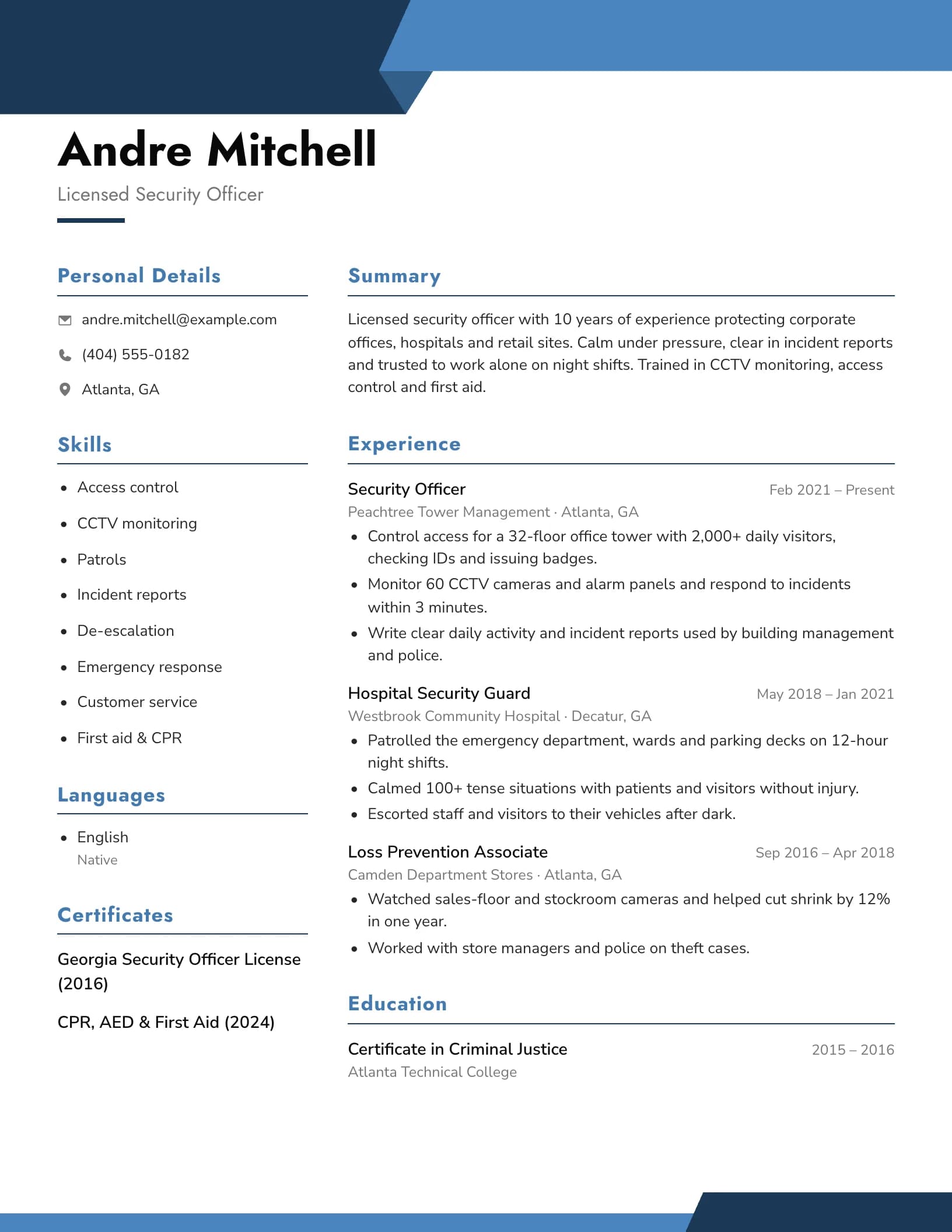
Vertex
Bold header · two columns
Angular blue shapes frame your name at the top of the page. For jobs where you want your resume to be remembered.
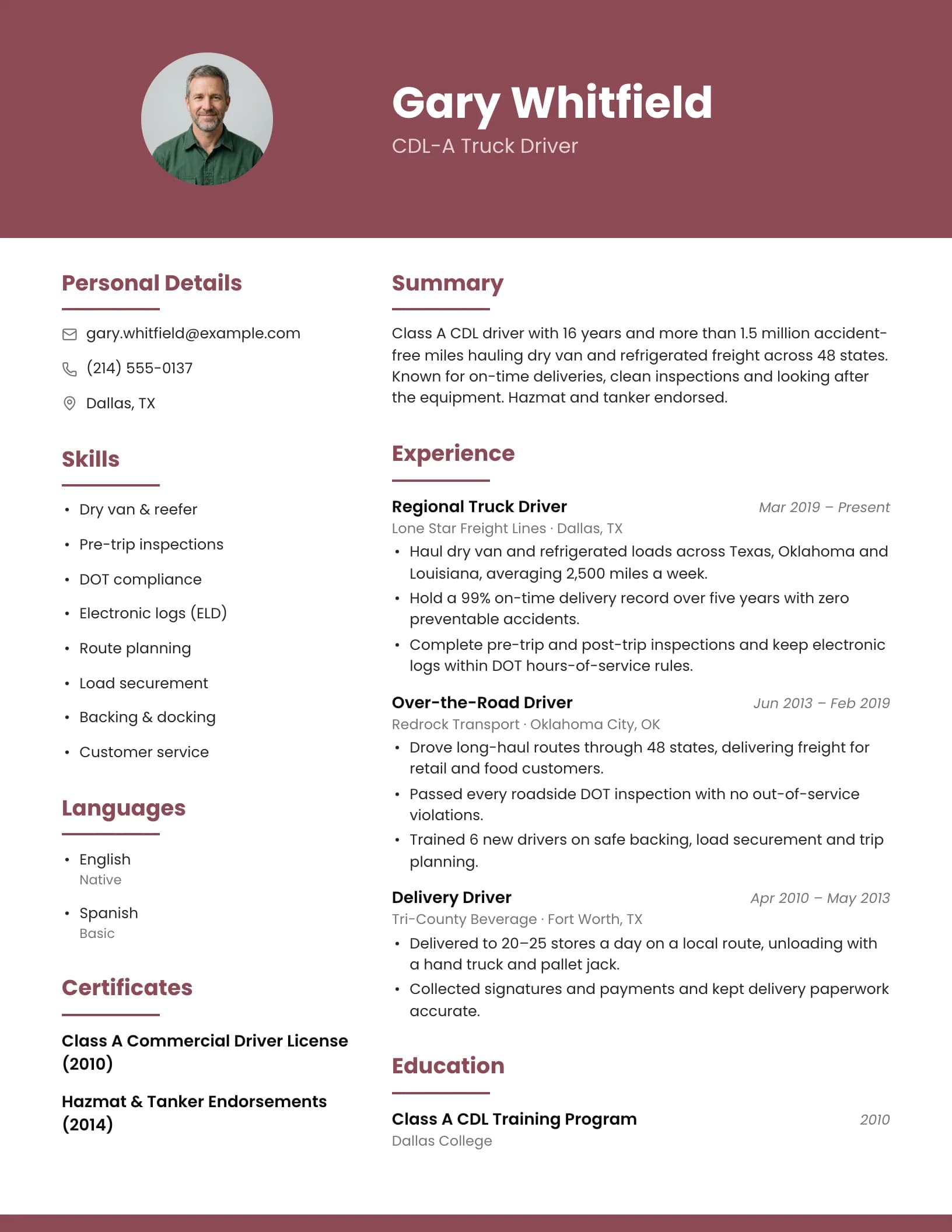
Crest
Color band · photo
A full-width band of color carries your name and photo. Tidy and confident, and well suited to customer-facing work.
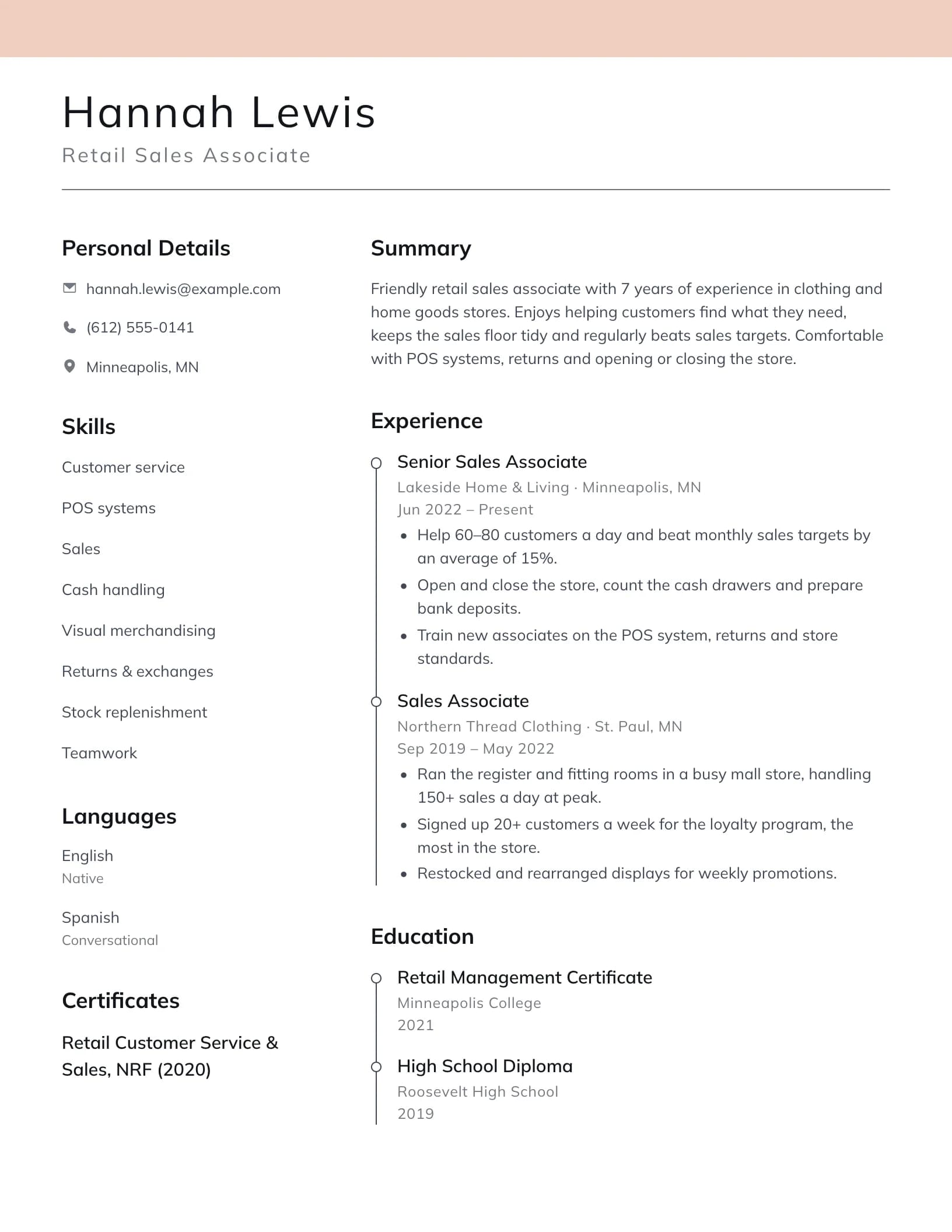
Atelier
Soft header · timeline
A pale strip of color, a light name and a soft timeline. Calm and friendly, for retail, care and hospitality jobs.
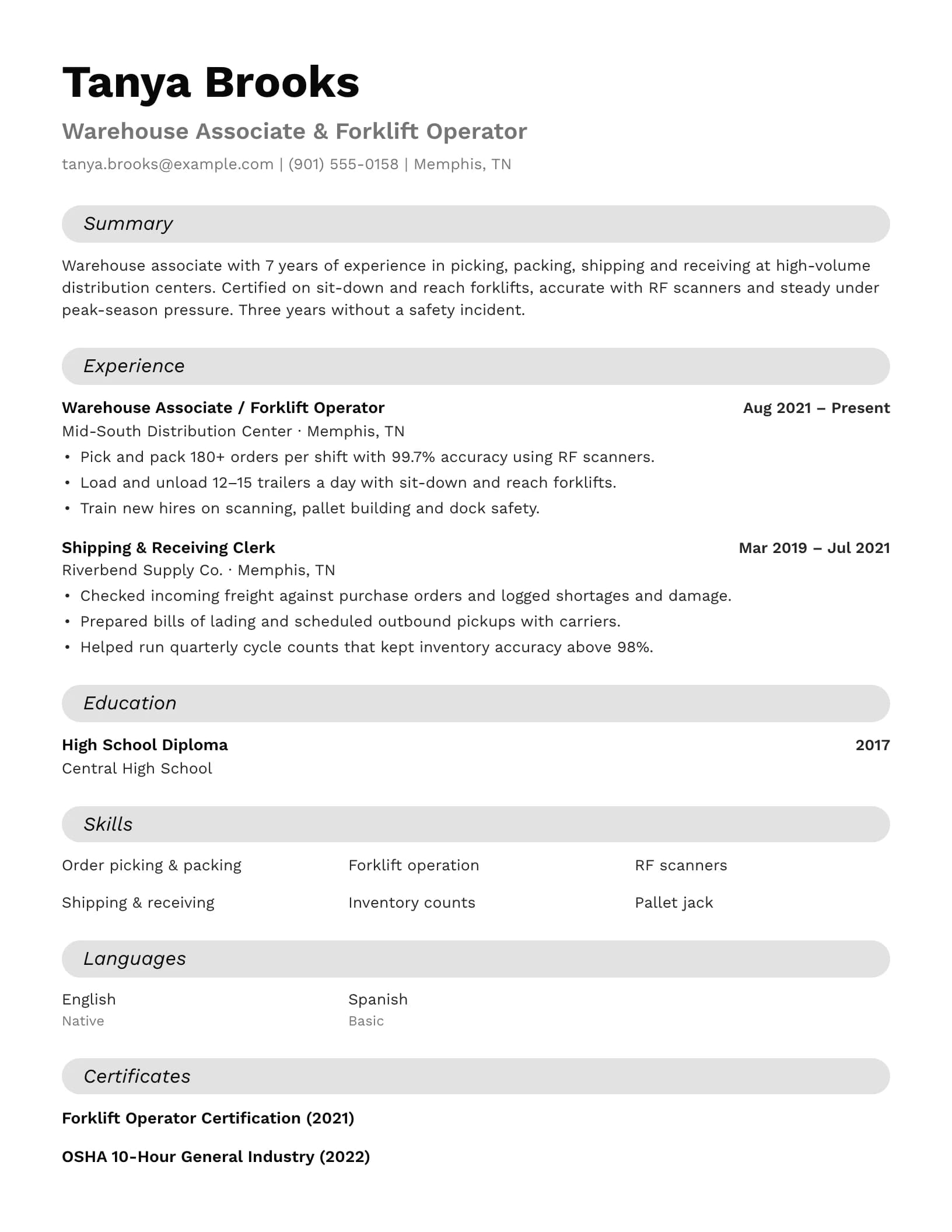
Capsule
One column · pill headings
Rounded pill headings split a simple page into clear blocks. Easy to scan, even with little experience to show.
How to choose a resume template
Start with the job, not the design. An employer spends a few seconds on the first read, so the best template is the one that makes your strongest facts easy to find.
- Little or no experience: pick a one-column template such as Ledger or Capsule. One column gives your education and skills room without leaving empty space.
- A long work history: a two-column template such as Slate, Axis or Atelier keeps your contact details and skills in a sidebar and leaves the wide column for your jobs.
- An online application form: every template here can be read by hiring software. Typeset and Ledger are the plainest if you want to be extra careful.
- A country where a photo is expected: Dossier, Slate, Crest and Meridian are designed around one.
You are not locked in. Switch templates at any time in the builder and your text stays exactly as you wrote it.
Simple, modern or professional: which style fits your job
The three words describe how much design sits around your text. None is better than the others; they suit different kinds of work.
| Style | What it looks like | Good for | Templates |
|---|---|---|---|
| Simple | One column, black text, little or no color | Any job, first resumes and traditional employers | Ledger, Typeset, Capsule |
| Modern | Two columns with color, icons or a timeline | Trades, retail, hospitality and tech jobs | Slate, Meridian, Axis, Vertex, Atelier |
| Professional | Restrained color and classic type | Office, healthcare and management jobs | Slate, Ledger, Dossier, Crest |
Are these resume templates ATS-friendly?
Yes. Most employers collect applications in software called an applicant tracking system, or ATS. It reads the text inside your PDF, so a template passes or fails on how that text is stored, not on how the page looks.
Every template here saves real, selectable text in reading order, with standard section headings and embedded fonts. That includes the two-column designs: the main column is read first and the sidebar after it.
Our guide to ATS-friendly resumes explains what else to check before you apply.
Resume template or CV template?
They are the same templates. In the US and Canada the document is called a resume; in the UK, Ireland, Australia and most of Europe it is a CV. What changes from country to country is the paper size and whether a photo belongs on the page.
- US and Canada: US Letter paper, no photo.
- UK, Ireland and Australia: A4 paper, no photo.
- France, Germany, Spain and much of Europe: A4 paper, and a photo is common.
The builder starts with the paper size used in your region, and you can change it at any time. Our guide to resume vs CV covers the other differences.
How to use a resume template
- Pick a template. Choose “Use this template” above. It opens in the builder, with nothing to sign up for.
- Fill in your details. Add your contact details, work experience, education and skills. The preview shows your exact pages as you type.
- Download your PDF. The download is free, has no watermark, and you can repeat it as often as you like.
Frequently asked questions
Are these resume templates really free?
Yes. All ten templates are free to use, and so is the PDF download. There is no trial period, no premium template and no payment at the download step.
Can I download a template in Word or Google Docs?
No. You fill in a template online and download the finished resume as a PDF, the format most employers ask for. There is no blank Word or Google Docs file to download.
Are the templates ATS-friendly?
Yes. Every template produces a PDF with real, selectable text in reading order, standard section headings and embedded fonts. That is true of the two-column templates as well.
Which resume template should I choose?
If you are unsure, choose a simple one-column template such as Ledger. It suits almost any job and any amount of experience. Pick a two-column template when you have enough skills, languages or certificates to fill a sidebar.
Can I use a template with or without a photo?
Yes. Every template lets you show or hide a photo. Dossier, Slate, Crest and Meridian are designed around one, so they look best where a photo is expected.
Can I change the template after I start?
Yes. You can switch templates at any time in the builder. Your text stays exactly as you wrote it; only the design changes.
Can I change the colors and fonts?
Yes. Each template comes with color themes, and you can choose from more than 40 fonts and adjust the spacing and the heading style.
Are the templates A4 or US Letter?
Both. The builder starts with the paper size used in your region, and you can switch between A4 and US Letter at any time.
Can I make a two-page resume with these templates?
Yes. When your text runs past one page, a second page is added, and headings stay with the content under them. One page is still best for most people with under ten years of experience.
Your next job starts with a great resume
Pick a template, fill in your details and download the PDF. No payment at any step.
Create my resumeCreate my resume — it's free- No sign-up
- Free PDF download
- No watermark
DuckResume is also an app for Android and iPhone, free to download.